



.png)




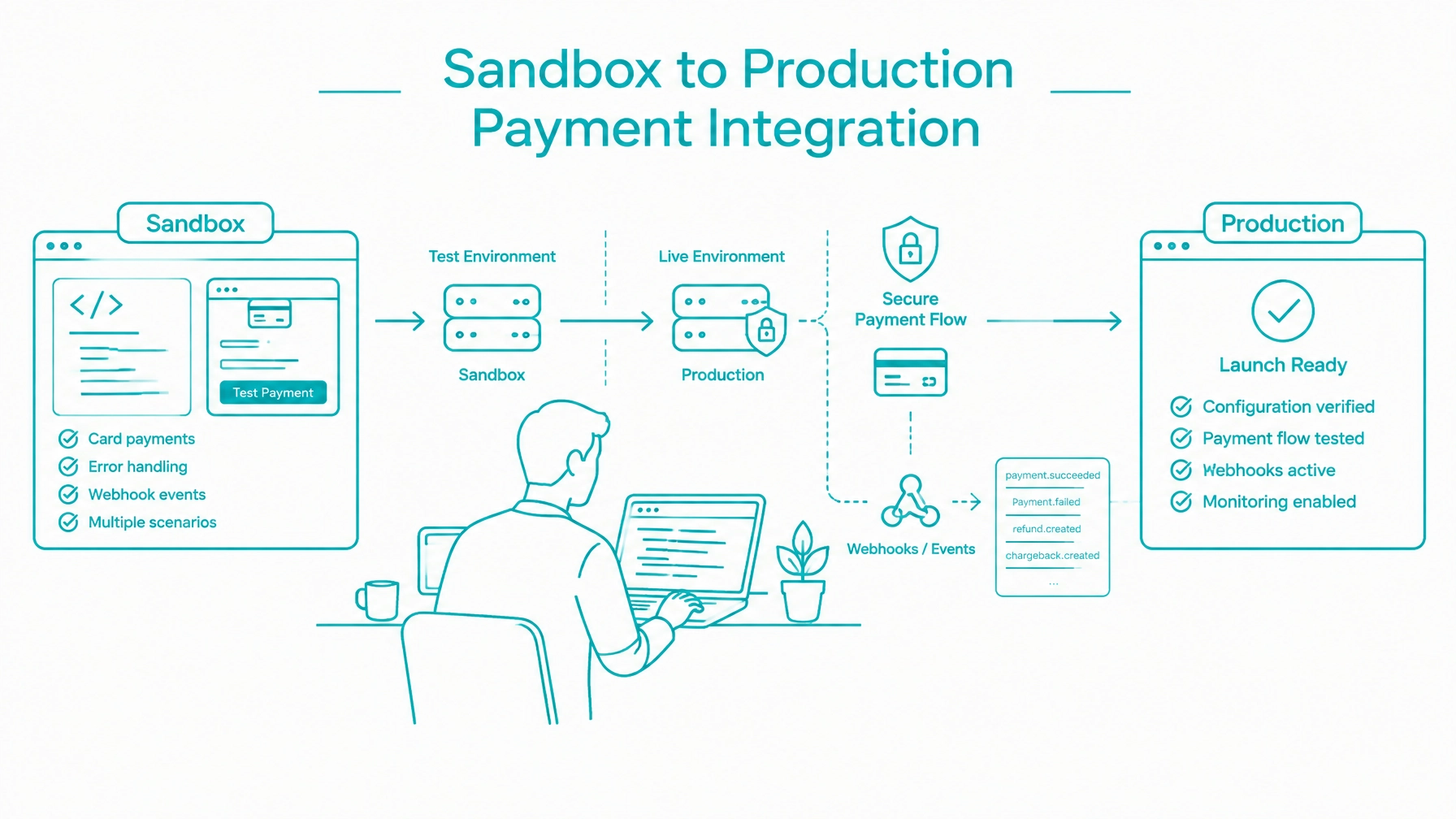
A payment gateway integration is not complete when the first sandbox transaction succeeds. It is complete when your application can collect payment information, handle failures, process asynchronous events, reconcile unknown outcomes, and move to production without changing its core payment logic.
This walkthrough follows the developer journey from a test merchant to controlled live processing. Use it when your team is mid-integration and needs a practical path to launch through a developer sandbox environment.
Begin by separating payment development from production operations. Create or request access to the sandbox test merchant, then confirm that your team can access the required credentials, test values, developer portal, and integration documentation.
The Integrate Payments developer sandbox provides a test merchant for learning the payment gateway and testing application code before live processing.
Confirm these items before writing transaction logic:
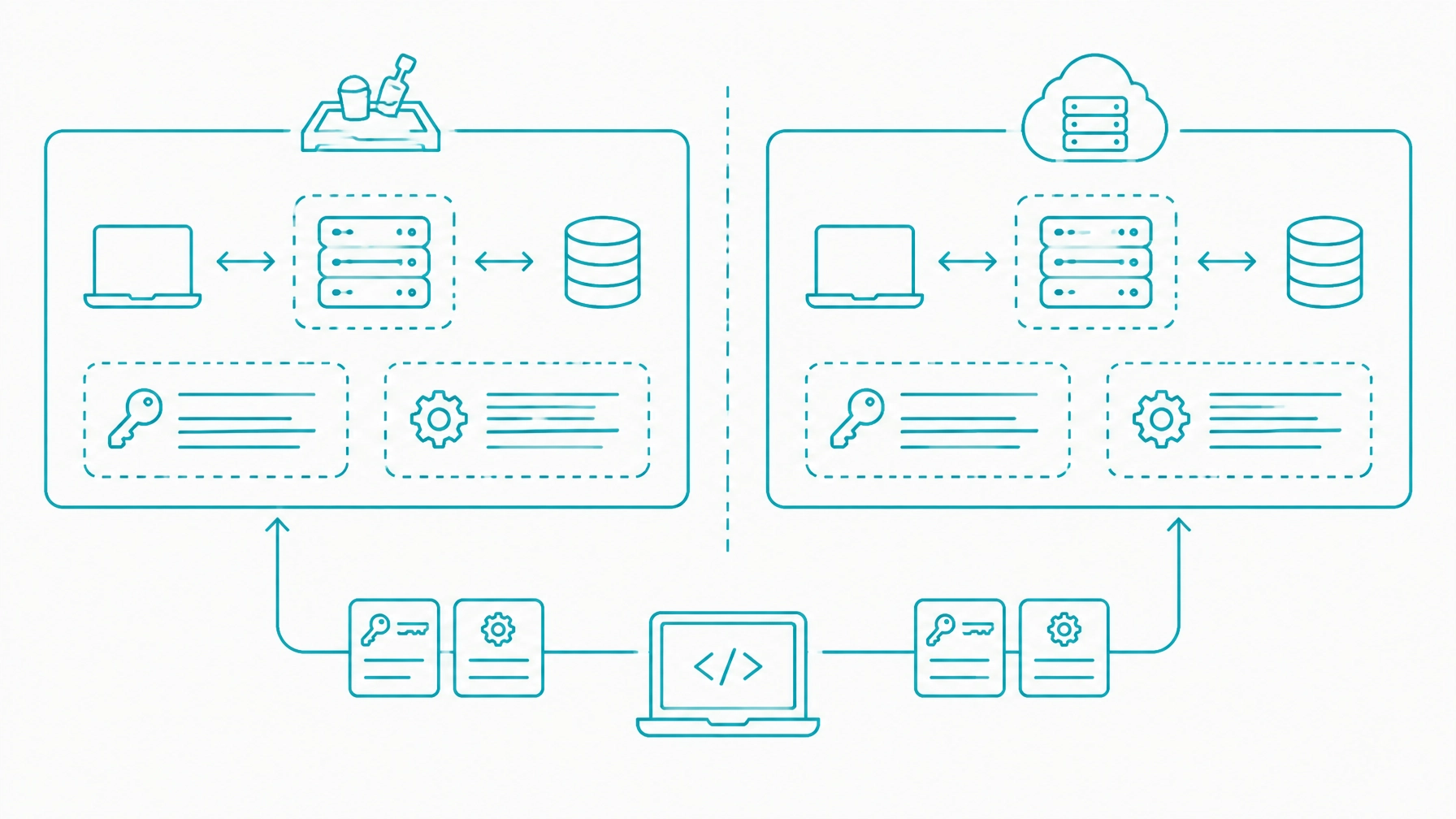
Keep sandbox and production configuration separate from the beginning. Use environment variables or configuration management rather than hard-coding credentials into the application.
Review the developer documentation for current field names, test values, response formats, and supported workflows. Do not infer implementation details from examples intended for a different integration model.
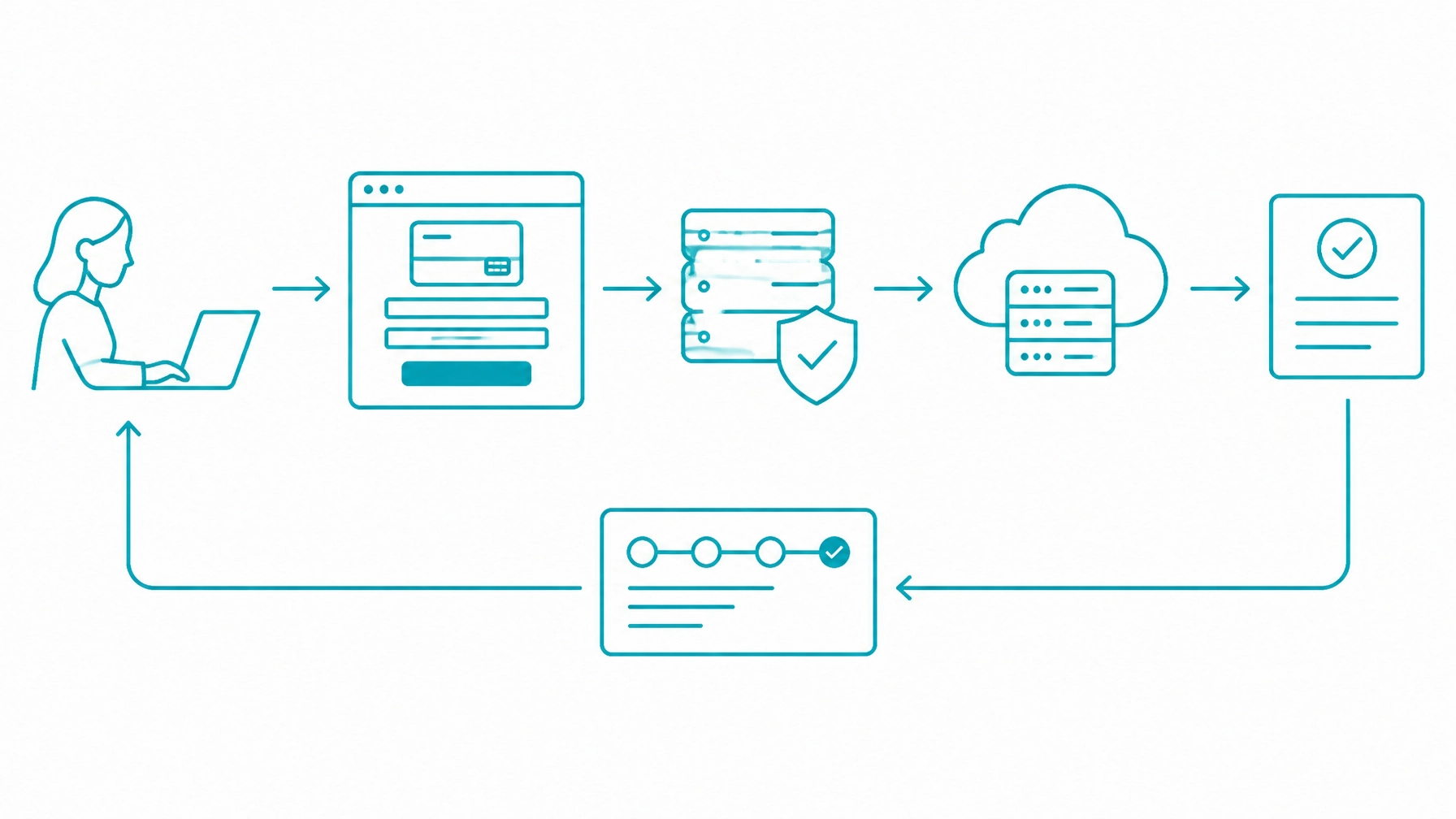
Next, build one complete payment path. Do not begin with isolated API calls that are difficult to connect later.
A typical flow includes:
Keep business logic in your application and sensitive payment collection in the appropriate gateway-controlled layer. Your frontend should not determine the final amount, and private credentials should never be exposed in browser code.
The browser response is useful for customer experience, but it should not be the only source of truth. A payment may continue processing after the browser has closed, the network has failed, or the customer has been redirected.
Model payment states explicitly. Use states such as pending, authorized, captured, declined, voided, refunded, and reconciliation_required instead of relying on a single is_paid value.
For a broader implementation walkthrough, see How to Integrate Payments Into Custom Software.
A successful sale confirms only one branch of your integration. Before adding production credentials, test how your application behaves when the gateway, customer, or network produces an unexpected result.
Test the following scenarios:
Display a clear customer-facing message while keeping detailed gateway responses in restricted operational logs. Do not expose raw response text when it could reveal sensitive or confusing implementation details.
Simulate gateway timeouts and lost responses. If your server submits a transaction but does not receive a definitive answer, do not immediately submit a second transaction. Mark the payment as unknown and use the documented lookup or reconciliation process before retrying.
Test duplicate webhook delivery and invalid webhook signatures. Your application should ignore an already-processed event and reject an event that fails verification.
This is also the point to test authorization, capture, void, and refund permissions. Restrict administrative actions to approved roles and link every refund to the original payment and internal order, especially when planning payment platform integration for apps and marketplaces.
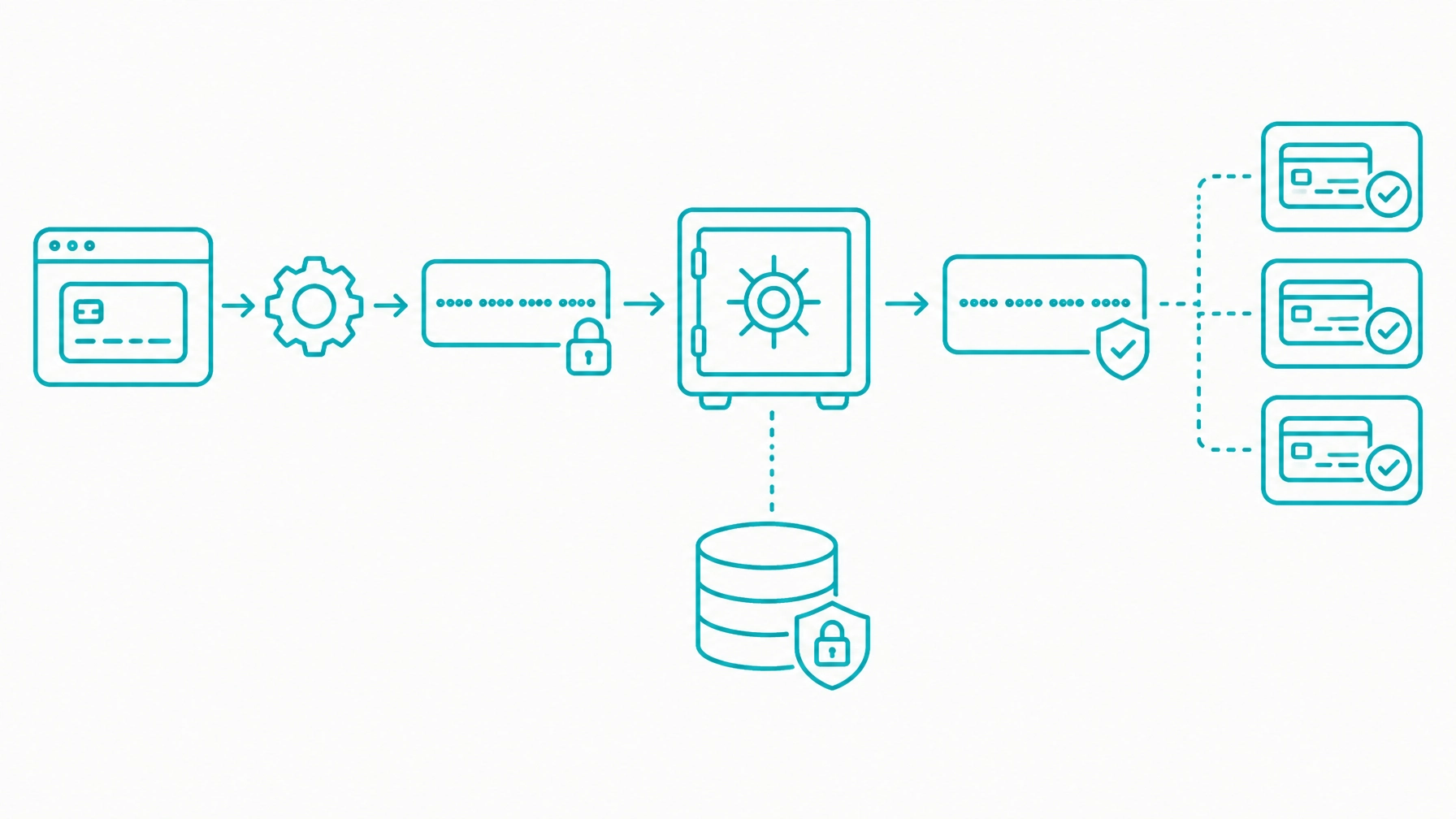
Once the one-time payment path works, test stored payment references. Tokenization allows your application to use a payment reference without storing the original payment information in your own database.
The Customer Vault integration supports storing payment information in a secured gateway environment and referencing it for future transactions. Confirm the exact creation and update process in the current documentation.
Test this sequence:
Store internal customer IDs, gateway references, transaction IDs, subscription IDs, card brand, and last-four information only when returned and needed. Do not store full card numbers, CVV values, or raw payment requests and responses.
Recurring billing is a separate workflow, not a variation of a one-time sale. Your application must manage the customer’s consent, plan, billing cycle, renewal state, payment method, cancellation status, and failed renewal process through a recurring billing payment gateway API.
Test the complete lifecycle:
Use the original transaction and customer references where required for stored-credential processing. Keep subscription state separate from payment state because an active subscription can have a failed renewal, and a customer can have more than one payment method. For a deeper implementation example, review this article on recurring billing payments API for custom software.
Webhooks provide asynchronous updates for renewals, refunds, settlements, disputes, and delayed transaction results. Treat the webhook endpoint as a security-sensitive payment component.
Your handler should:
The Integrate Payments webhook and integration resources document the required endpoint configuration, signature verification process, event structure, and delivery behavior. Follow those documented requirements for your integration.
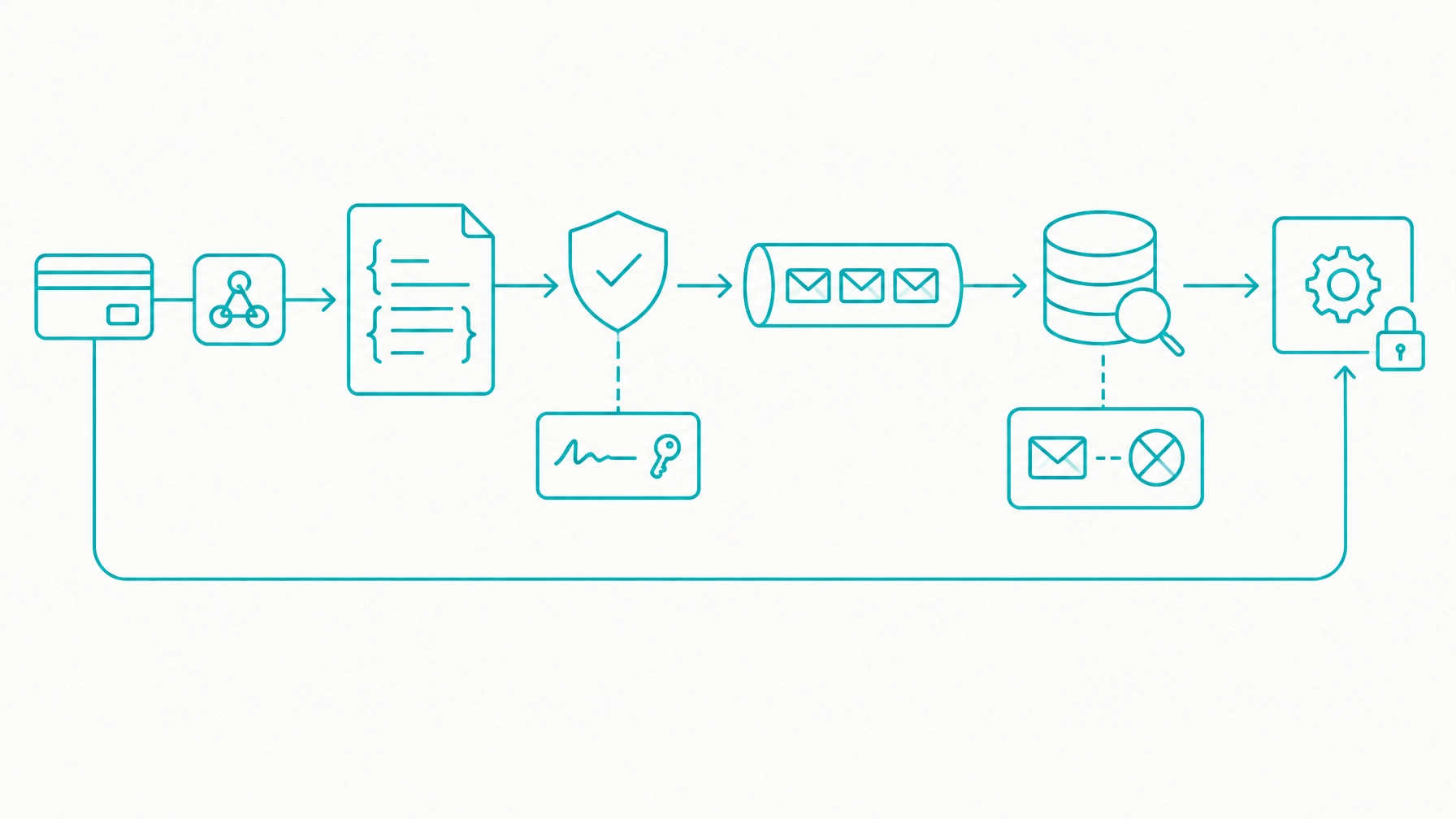
Return a successful HTTP response after the event has been safely recorded. Do not perform slow fulfillment, reporting, or customer-notification work before acknowledging the request. This pattern also supports scaling custom web application ecommerce with a flexible payment API.
Production cutover should change environment configuration, not payment behavior. Use a feature flag or deployment configuration to direct the tested integration to production credentials and production endpoints.
Complete these actions:
Tokenization and hosted payment components can reduce the payment data entering your environment, but they do not automatically determine PCI compliance. Review this guide to PCI security for payment API integration, then confirm the applicable requirements with your acquirer, qualified security assessor, or compliance provider.
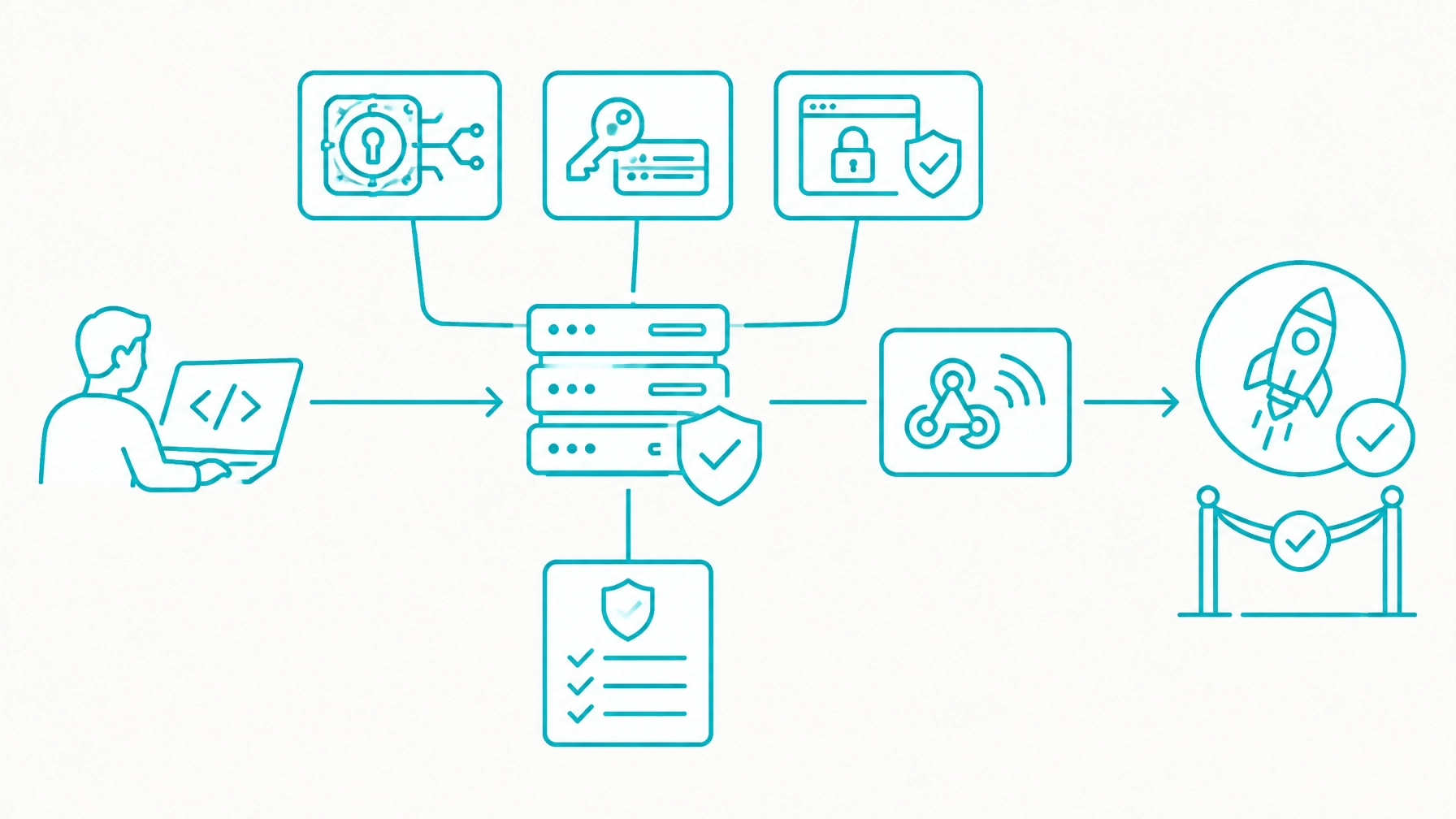
Do not treat the first production deployment as a volume launch. Start with a small, controlled live transaction using an approved internal or pilot customer.
Verify each record across the system:
After the first transaction, monitor declines, gateway errors, refund activity, disputes, webhook failures, and settlement differences. Keep the team available to pause new transactions if internal records and gateway records diverge.
Reconciliation is the production feedback loop. Webhooks can be delayed, duplicated, or missed, and a synchronous API response can be lost during a network interruption.
Run scheduled checks that compare:
Use separate identifiers for orders, payments, refunds, disputes, subscriptions, customers, and settlements. When records do not match, set a reconciliation_required state and route the record for review rather than silently overwriting it.
Before enabling live payments, confirm that your team has:
Sandbox values, test credentials, sample tokens, and test merchant records belong only in development and test environments. Keep them out of production configuration, customer records, monitoring dashboards, and operational reports.
A request can time out after the gateway receives it. A browser can close before a redirect completes. Use webhooks, transaction lookup, and reconciliation to resolve unknown outcomes.
The same event may be delivered more than once. Persist event identifiers and protect fulfillment, account activation, refunds, and ledger updates against duplicate processing.
Production should use the same tested payment state model and error handling as sandbox. Change credentials, endpoints, secrets, domains, and merchant configuration: not the core transaction logic.
If your team is stuck between the first sandbox transaction and production launch, bring your application stack, integration model, payment flows, and target timeline to an integration discussion. You can contact the Integrate Payments integration team to review your plan.
Start with the developer sandbox, review the Customer Vault payment workflow, and use the documented requirements to plan a controlled path to live processing.
Compliance disclosure: Payment integrations remain subject to applicable processor, card-brand, regulatory, and PCI DSS requirements. Completing a Self-Assessment Questionnaire does not by itself establish compliance for every implementation. Confirm your obligations with your acquirer, qualified security assessor, or compliance provider.