


.png)




Restaurant ecommerce has a longer gap between order creation and settlement than most in-person channels. A customer may place an order hours before pickup, request substitutions, add a tip, or cancel after production begins.
Revenue leakage usually comes from payment-state errors rather than menu presentation. Common failures include abandoned checkouts that leave open authorizations, refunds created because an order was captured too early, unfulfilled orders released after a browser redirect, and settlement records that cannot be matched to internal orders.
Build the payment lifecycle before optimizing the menu interface. Your application must know what was authorized, what was fulfilled, what was captured, and what remains unresolved.
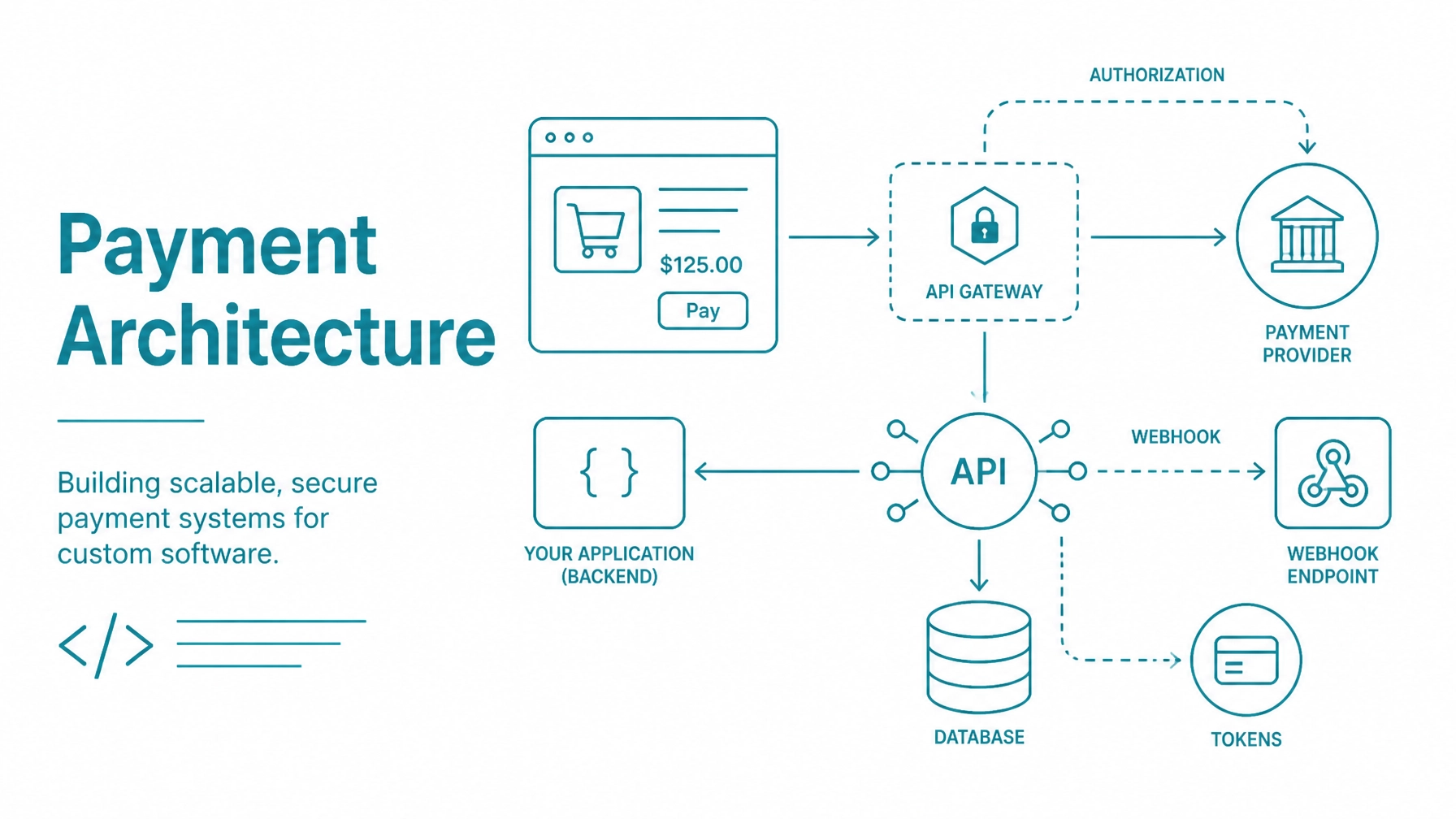
Review the payment gateway integration architecture guide before defining application responsibilities.
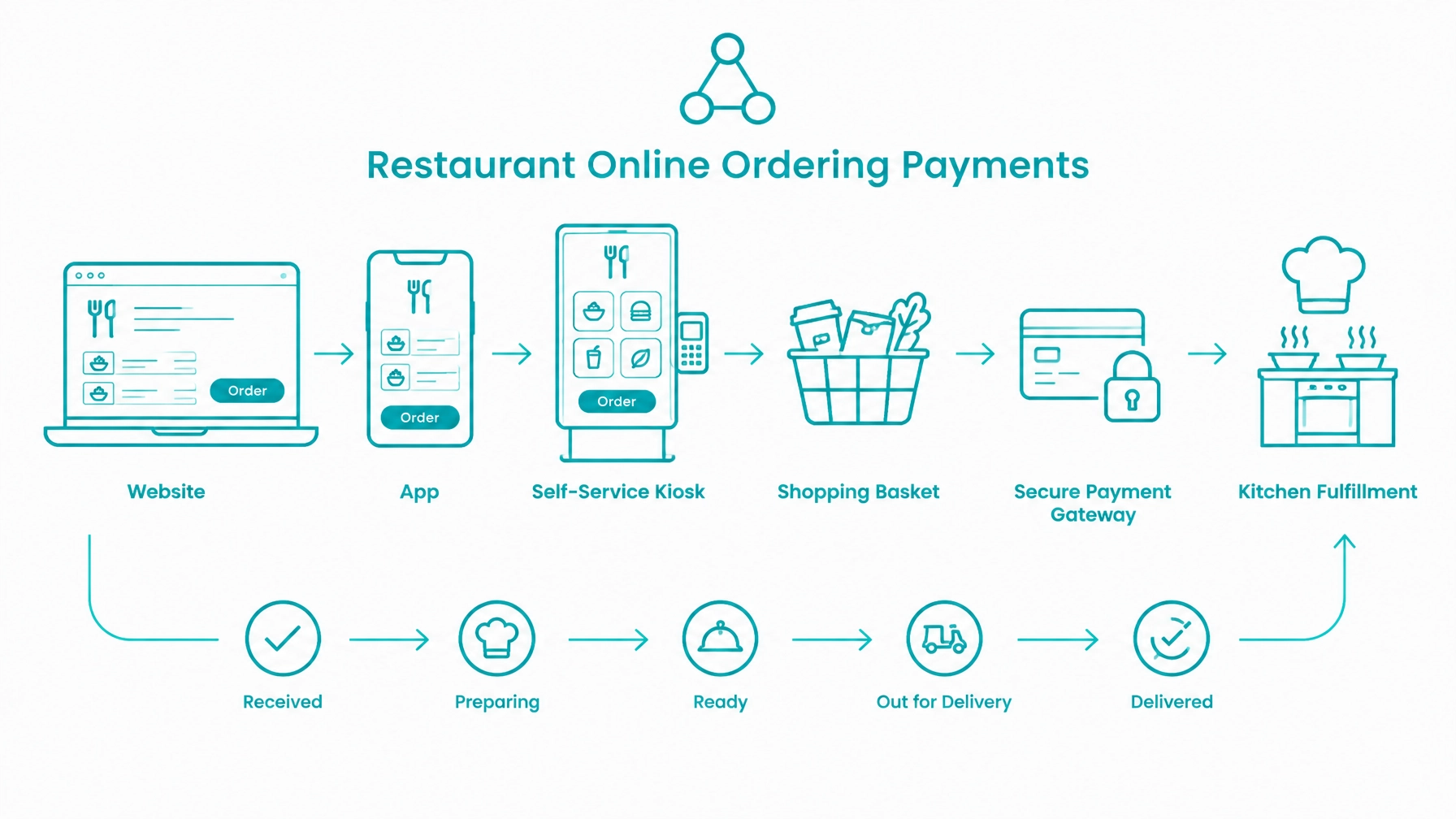
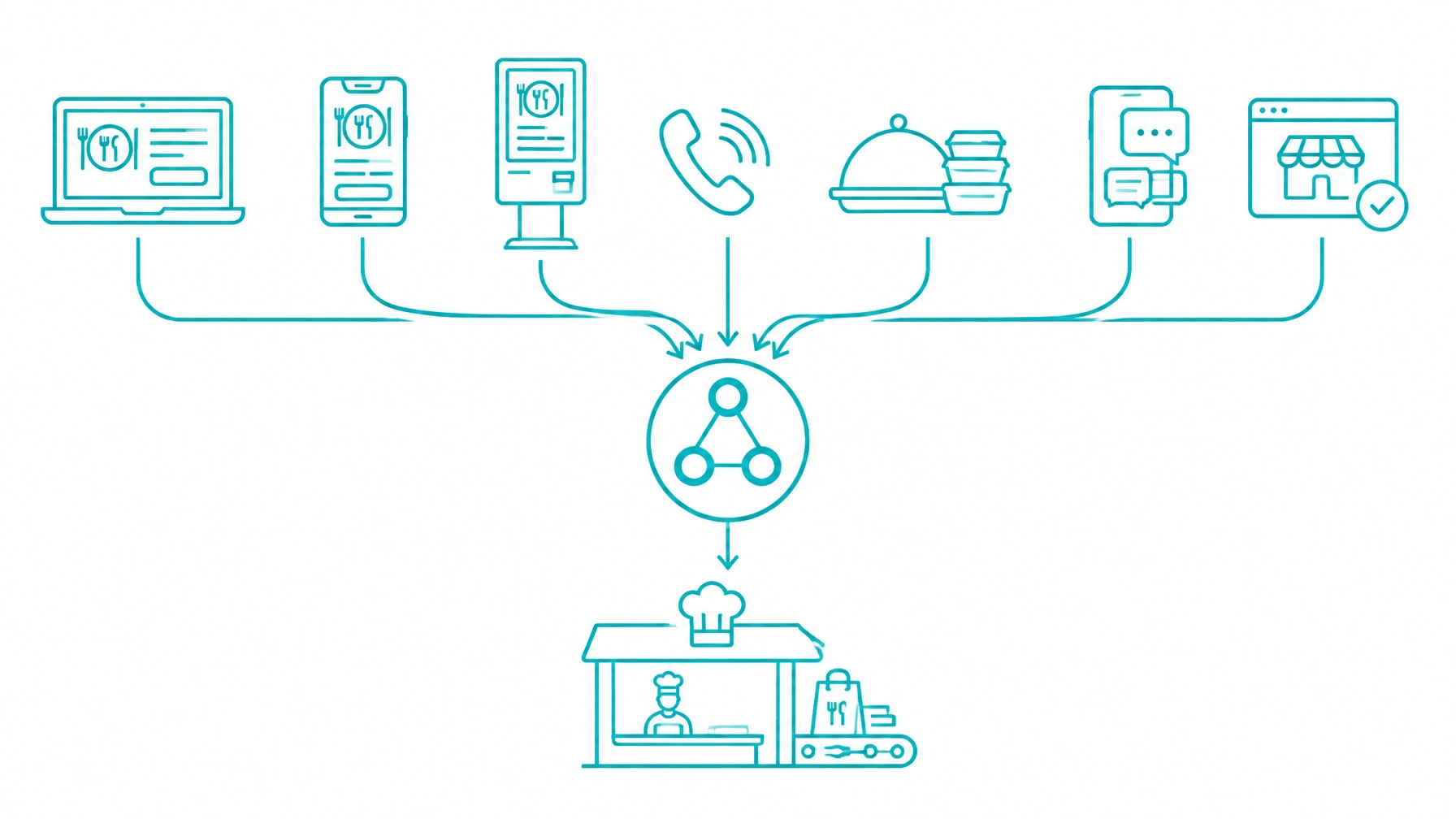
Online ordering may begin on a restaurant website, branded mobile app, self-service kiosk, marketplace handoff, phone order, catering form, text message, or chat interaction. Each surface can have different authentication, pricing, fulfillment, and customer-notification requirements.
Use one payment service layer for every surface. Do not build separate payment logic for the website, app, kiosk, and phone-order dashboard.
A unified service layer provides:
The ordering surface should collect customer intent. The payment service should validate the amount, apply the permitted payment action, and return a verified result to the order system.
A basket is a customer’s working selection. An order is a committed business record with a fulfillment mode, customer details, payment status, and operational history.
Do not treat a saved basket as a final price. Menu versions, modifier prices, taxes, service fees, availability, and delivery rules can change between basket creation and checkout.
At checkout, re-price the basket on the server. Validate:
Present any price or availability change before payment confirmation. Store the submitted basket and the finalized order as separate records so the application can explain how the final amount was calculated.
Your collection model affects conversion, development effort, and PCI scope. Choose the model that gives the product team the required checkout control without bringing unnecessary cardholder data into the application environment.
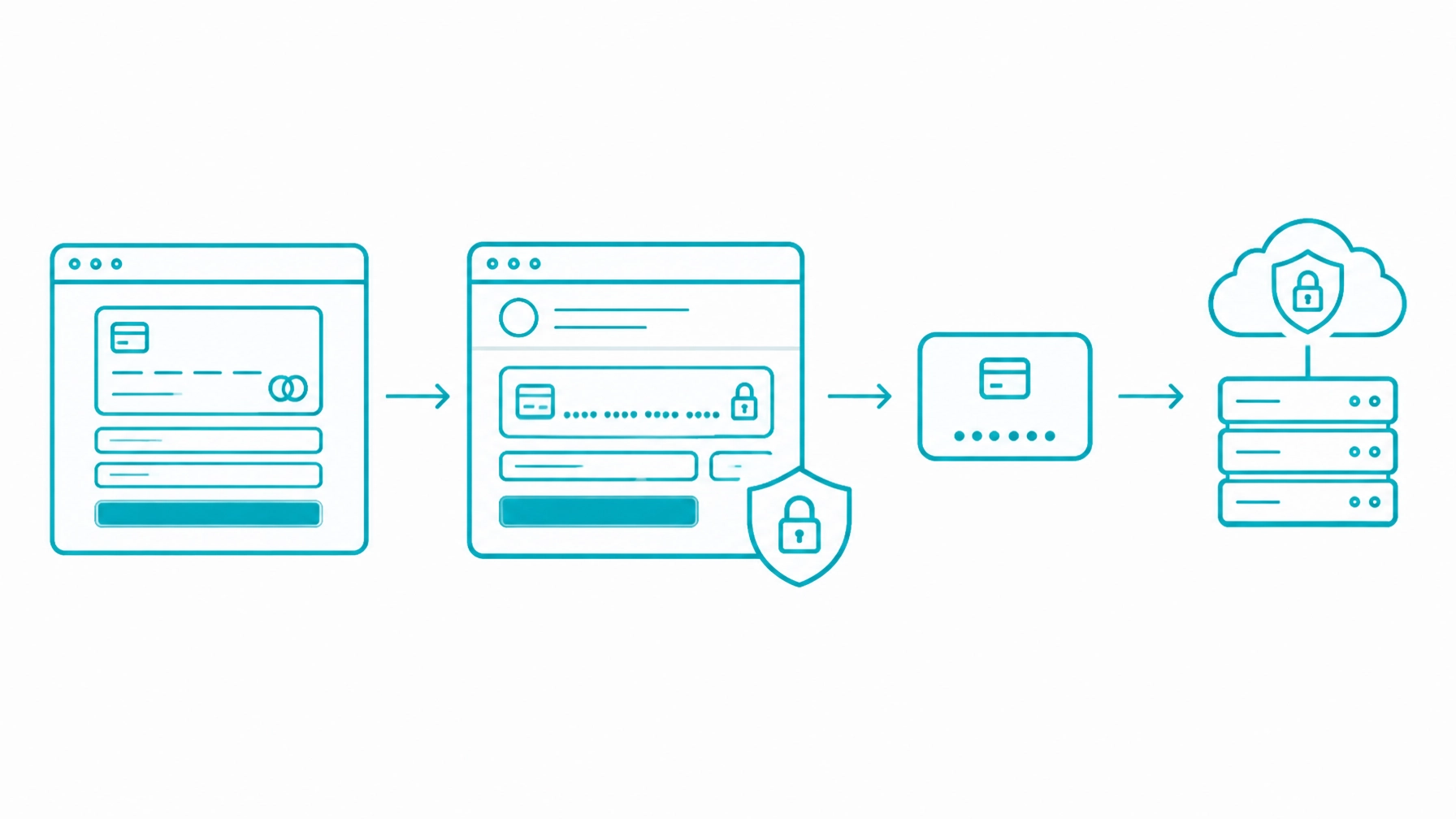
A hosted payment page moves payment entry to a gateway-controlled checkout experience. Your application creates the order context, sends the customer to the hosted page, and verifies the resulting transaction before changing the order to a payable or accepted state.
This model reduces the amount of payment data handled by your website. It is useful for an initial release, a lower-maintenance checkout, or a product team that does not need complete control over the payment form.
Hosted fields keep the customer within your branded checkout while payment inputs remain controlled by the gateway integration. The browser returns a payment reference rather than raw card data to your application.
Review the client-side payment integration resources for the current implementation requirements. Do not invent client-side parameters or rely on undocumented behavior.
Use guest checkout to reduce friction for first-time customers. Offer saved payment methods only after obtaining the required customer consent and storing the permitted Customer Vault reference.
The Customer Vault allows the gateway to retain encrypted payment information while your application stores a reference connected to the customer record. Never store full card numbers or CVV values in the ordering database.
Authorization and capture are separate payment actions. An authorization reserves an amount; capture submits an amount for settlement.
For many restaurant online-ordering workflows, authorize the estimated amount at checkout and capture the final amount at or after fulfillment. The exact timing depends on the fulfillment mode, authorization validity window, merchant configuration, and gateway capabilities.
Capturing at checkout makes the initial estimate the settled amount. Every later change must then be handled through a refund, a separate adjustment, or a second payment.
Changes may result from:
Store the authorized amount and final captured amount as separate values. Never assume they are equal.
If the final amount exceeds the authorization, follow the supported gateway workflow for an additional authorization, reauthorization, or permitted adjustment. Do not silently capture more than the approved amount.
A scheduled order may be authorized well before fulfillment. Authorization validity windows vary, so the application must track the authorization date and determine whether it remains usable when production approaches.
If the authorization cannot remain valid until fulfillment, define a customer-approved reauthorization or payment-collection process. Do not allow a stale authorization to become an unexplained decline at the kitchen handoff.
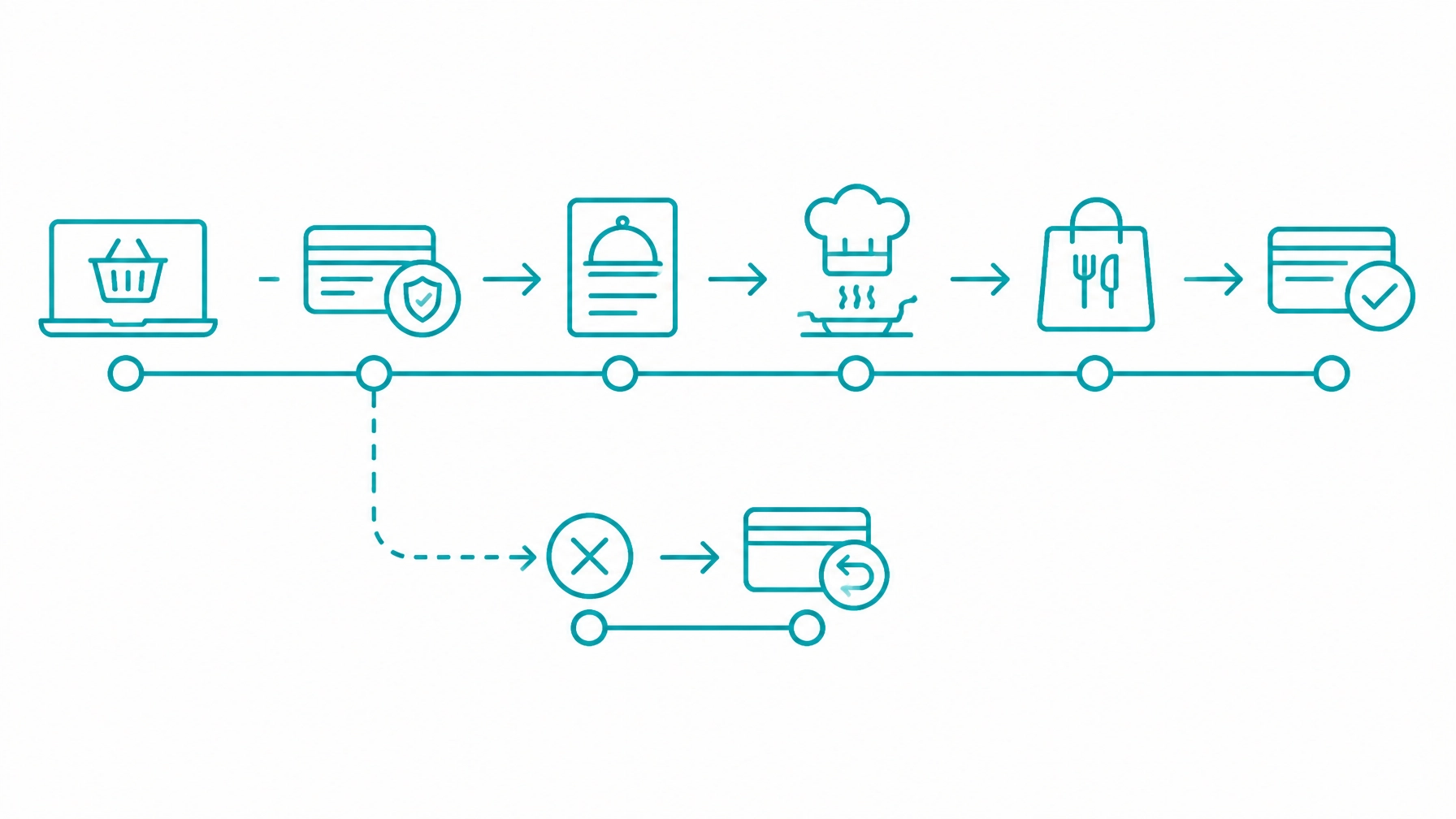
Early capture creates unnecessary refunds when the restaurant rejects an order, removes an unavailable item, or fails to deliver. It also makes reporting less precise because the captured payment no longer matches the fulfilled order.
Use a clear rule: payment confirmation permits the order to enter the appropriate workflow; fulfillment determines when the final amount should be settled.
Use explicit states instead of one paid value. A practical online order model includes:
Void an authorization when an order is cancelled before capture, where supported. Refund a captured amount after settlement or after the transaction has entered the applicable refund state.
Never release an order to production based only on a browser redirect, client callback, or customer-facing success page. Confirm the server-side payment result through the documented gateway response or event process.
Make payment, order, and fulfillment events idempotent. Persist event identifiers and internal references so retries do not double-charge, double-refund, or double-fulfill an order.
Fulfillment mode should drive payment timing. Do not infer it from free-text notes.
Capture when the order is accepted for preparation or when it reaches the defined pickup stage. Void or refund according to whether capture has occurred.
Capture when the order is ready or when the customer arrives, depending on the restaurant’s operating rule. Keep arrival status separate from payment status.
Capture at the defined dispatch or fulfillment point. Retain the delivery confirmation and handoff record.
Store the handoff as an operational event. Payment ownership, fee treatment, and capture timing should remain controlled by the order’s configured agreement.
Treat the online order as a separate payment workflow until it is connected to the in-restaurant transaction. Do not duplicate the charge when the customer later pays through the restaurant’s in-person process.
Long-lead catering orders require explicit deposit, balance, cancellation, and reauthorization rules. Future-dated orders need a payment schedule that reflects the authorization window and fulfillment date.
Configure delivery zones by postal code, distance, or another supported geographic rule. Validate the customer’s location before taking payment.
Keep these amounts as separate order lines:
A delivery fee should not be treated as automatically non-refundable. If delivery fails or the order is cancelled before dispatch, the fee may require separate reversal under the restaurant’s policy and applicable requirements.
Apply tax rules to each line according to the merchant’s configuration. Do not calculate one blended total that prevents support and reconciliation teams from identifying the source of a difference.
Order throttling should protect kitchen capacity before payment is taken. Calculate available capacity by time slot, fulfillment mode, preparation time, item restrictions, and location.
Close a full slot before checkout begins. If capacity changes during checkout, revalidate the slot before authorization and present a new time if the original slot is no longer available.
For scheduled orders, reserve capacity independently from payment status. An authorized payment does not guarantee that a production slot remains available unless the application has recorded the reservation successfully.
Support the restaurant’s chosen tip workflow:
Keep the authorized amount, tip amount, and final captured amount distinct. If a tip is added after capture, process it through the supported adjustment workflow rather than changing the settled amount silently.
Display tip suggestions clearly and preserve the customer’s selected value in the order record.
These instruments do different jobs.
A gift card is a payment tender with a balance. Store credit is an adjustment issued by the merchant. Loyalty points represent an earned and redeemed value. A promotional code changes the eligible price.
Create separate records for each. Do not combine all reductions and tenders into one opaque total.
Support partial gift card redemption by applying the available balance first and collecting the remaining amount through the permitted payment method. Record the gift card reference, redeemed amount, residual payment, and resulting order total independently.
Online ordering requires controls for card-not-present risk. Evaluate:
Step-up authentication is a liability and conversion decision. Define when it is required, what happens if it fails, and whether the order remains pending or is cancelled.
Display cancellation, refund, delivery, and pickup policies before checkout. Retain the accepted policy version with the order.
A defensible order record should include the order contents, customer communications, timestamps, fulfillment events, payment references, authorization and capture results, refund actions, and delivery or pickup confirmation.
Map each action to the correct payment state.
Require permission controls for refunds, voids, captures, and adjustments. Use idempotency safeguards so a repeated support action does not create multiple financial transactions.
Reconciliation should connect:
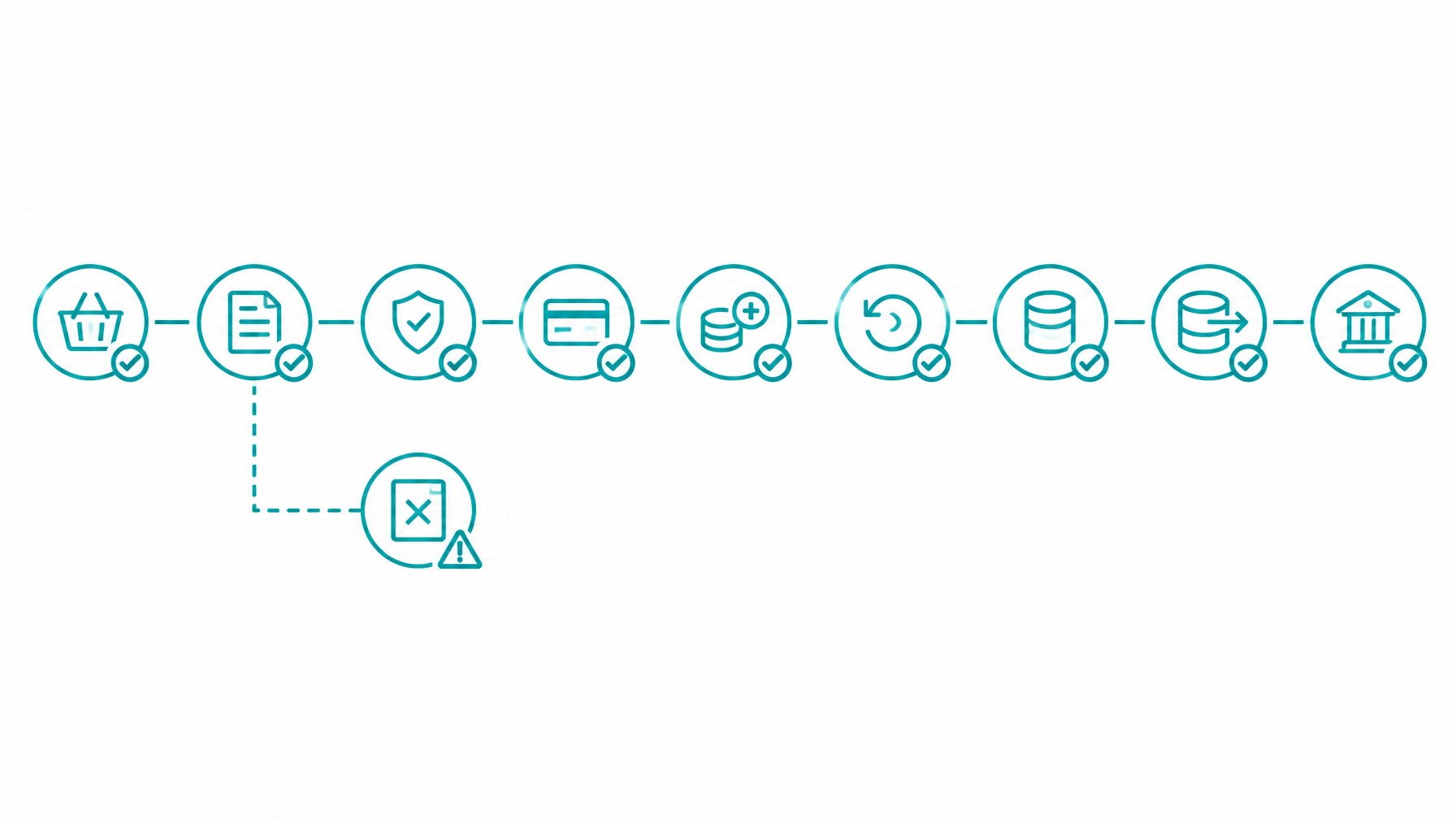
Run daily reconciliation across order records and settlement reporting. Surface unmatched records for review instead of absorbing them into a generic variance.
Common mismatches include tips adjusted after settlement, refunded delivery fees, delayed captures, duplicate payment attempts, and orders accepted internally without a matching gateway transaction.
The Integrate Payments developer sandbox provides a controlled environment for testing approvals, failures, captures, refunds, and reconciliation behavior before production.
Kitchen display and production routing should receive an order only after the required payment verification has completed. The production system should return accepted, rejected, in-production, ready, and fulfilled events to the ordering service.
Delivery dispatch should return assignment, handoff, cancellation, and completion events. These events may change the payment action, but they should not overwrite the payment record.
Keep kitchen status, delivery status, customer notification status, and payment status as separate state groups connected by internal identifiers.
Repeat ordering can use a saved Customer Vault reference after the customer provides the required consent. Preserve the original customer-initiated transaction reference and the applicable credential-on-file record.
For scheduled orders, distinguish between:
Meal plans and prepaid meal credits should be tracked as balances. Do not assume that a prepaid balance is a subscription or that a subscription automatically authorizes every future order.
Use the recurring billing API information for the documented recurring workflow and supported values.
Separate the following records:
Give each record an explicit state and internal identifier. Store permitted gateway references, transaction IDs, customer references, timestamps, amounts, and event IDs.
Do not store full card numbers, CVV values, or unfiltered payment payloads. For broader application architecture guidance, review how to integrate payments into custom software.
Correct these decisions during architecture planning. Retrofitting payment-state controls after launch creates operational and accounting risk.
Restaurant websites, apps, kiosks, catering forms, and delivery platforms need a shared payment model that can handle changing baskets, delayed fulfillment, refunds, tips, and settlement reporting.
If you are building online ordering, restaurant ecommerce, a delivery platform, or an ordering application, bring your order and payment model into an integration discussion with the Integrate Payments team. Start in the developer sandbox before moving to production.
Integrations remain subject to processor, card brand, regulatory, and PCI DSS requirements. Completing a Self-Assessment Questionnaire does not by itself establish compliance. Merchants and software providers remain responsible for validating their complete environment, controls, responsibilities, and applicable compliance obligations.